Configure MockSAML as an Identity Provider in ZITADEL
This guides shows you how to connect MockSAML as an identity provider in ZITADEL.
In ZITADEL you can connect an Identity Provider (IdP) like MockSAML to your instance and provide it as default to all organizations. Also, you can register the IdP to a specific organization only. If you allow so, your organizations members can do the same in self-service.
MockSAML is not intended for any production environment, only for test purposes
MockSAML
Download metadata
You can either download the metadata under https://mocksaml.com/api/saml/metadata?download=true or skip this step and fill in the URL when creating the SAML Provider in ZITADEL.
ZITADEL configuration
Go to the IdP providers overview
Go to the settings page of your instance or organization and choose "Identity Providers".
In the table you can see all the providers you have configured. Also, you see all provider templates that are available.
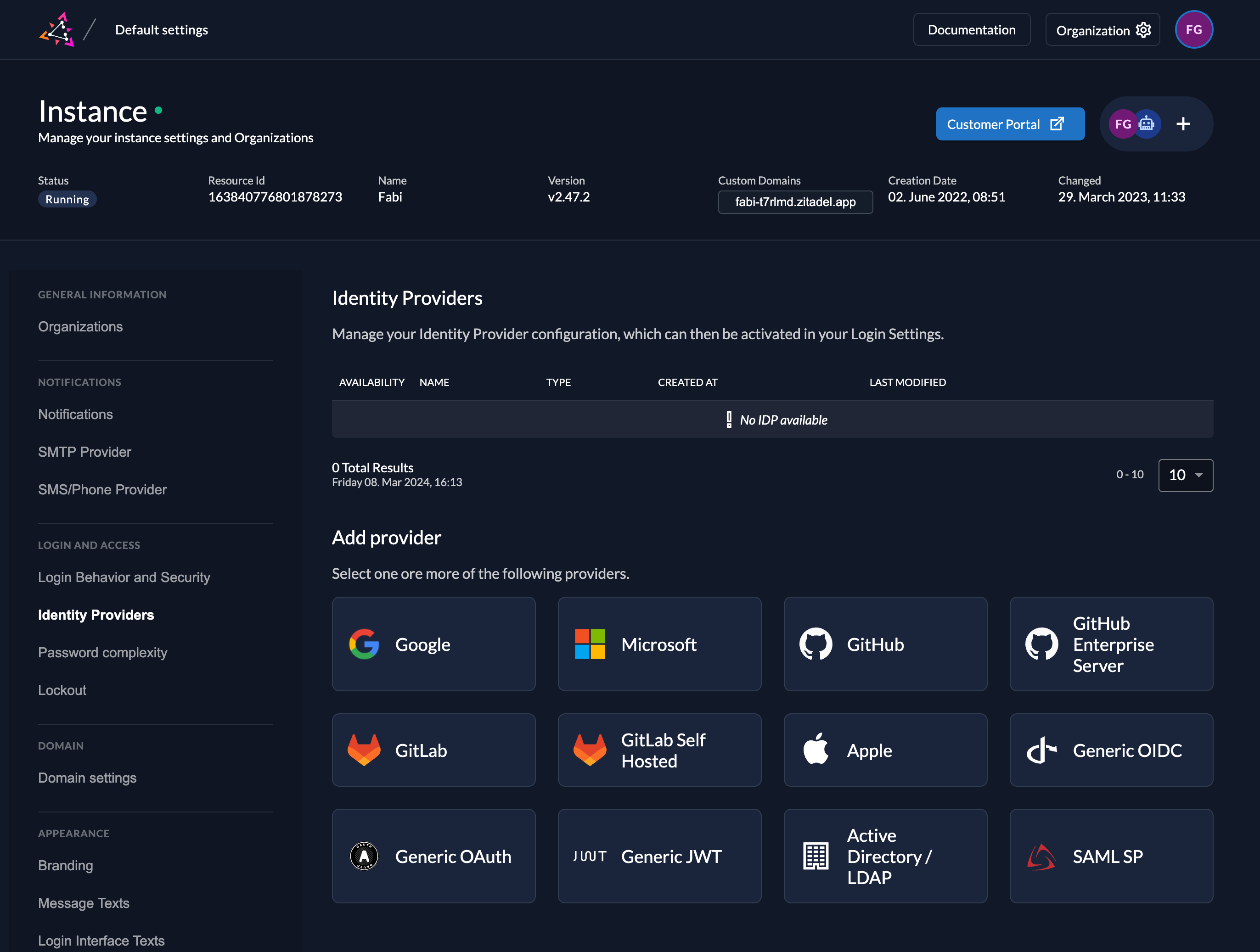
Select the SAML Provider template.
Create a new SAML ServiceProvider
The SAML provider template has everything you need preconfigured. Add the metadata.xml or the URL to the metadata which are accessible by you ZITADEL instance. All the necessary configuration is contained in the metadata which has to be exchanged by the ServiceProvider and the IdentityProvider.
Automatic creation: If this setting is enabled the user will be created automatically within ZITADEL, if it doesn't exist.
Automatic update: If this setting is enabled, the user will be updated within ZITADEL, if some user data is changed withing the provider. E.g if the lastname changes on the SAML account, the information will be changed on the ZITADEL account on the next login.
Account creation allowed: This setting determines if account creation within ZITADEL is allowed or not.
Account linking allowed: This setting determines if account linking is allowed. When logging in with a SAML account, a linkable ZITADEL account has to exist already.
Either account creation or account linking have to be enabled. Otherwise, the provider can't be used.

Download metadata
Normally, you would need to download the ServiceProvider metadata from ZITADEL to upload to the IdentityProvider.
They are available under https://${CUSTOMDOMAIN}/idps/\{ID of the provider in ZITADEL}/saml/metadata, but this step can be skipped due to the fact that MockSAML is only for testing purposes.
Activate IdP
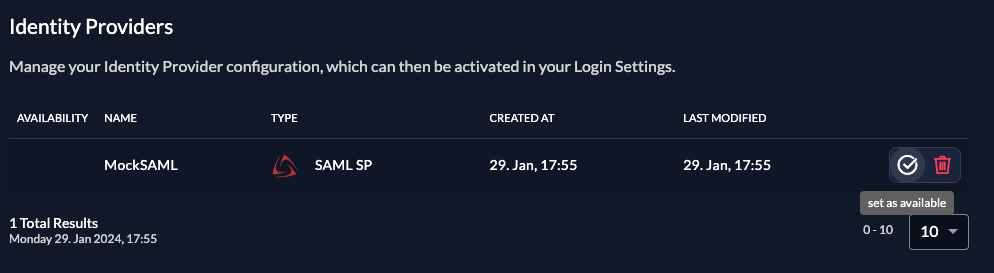
Once you created the provider, it is listed in the providers overview. Activate it by selecting the tick with the tooltip set as available.
If you deactivate a provider, your users with links to it will not be able to authenticate anymore. You can reactivate it and the logins will work again.
The provider can also be activated via API. As the identity providers are sub-resources of the login settings, this is done by linking the provider to the settings:
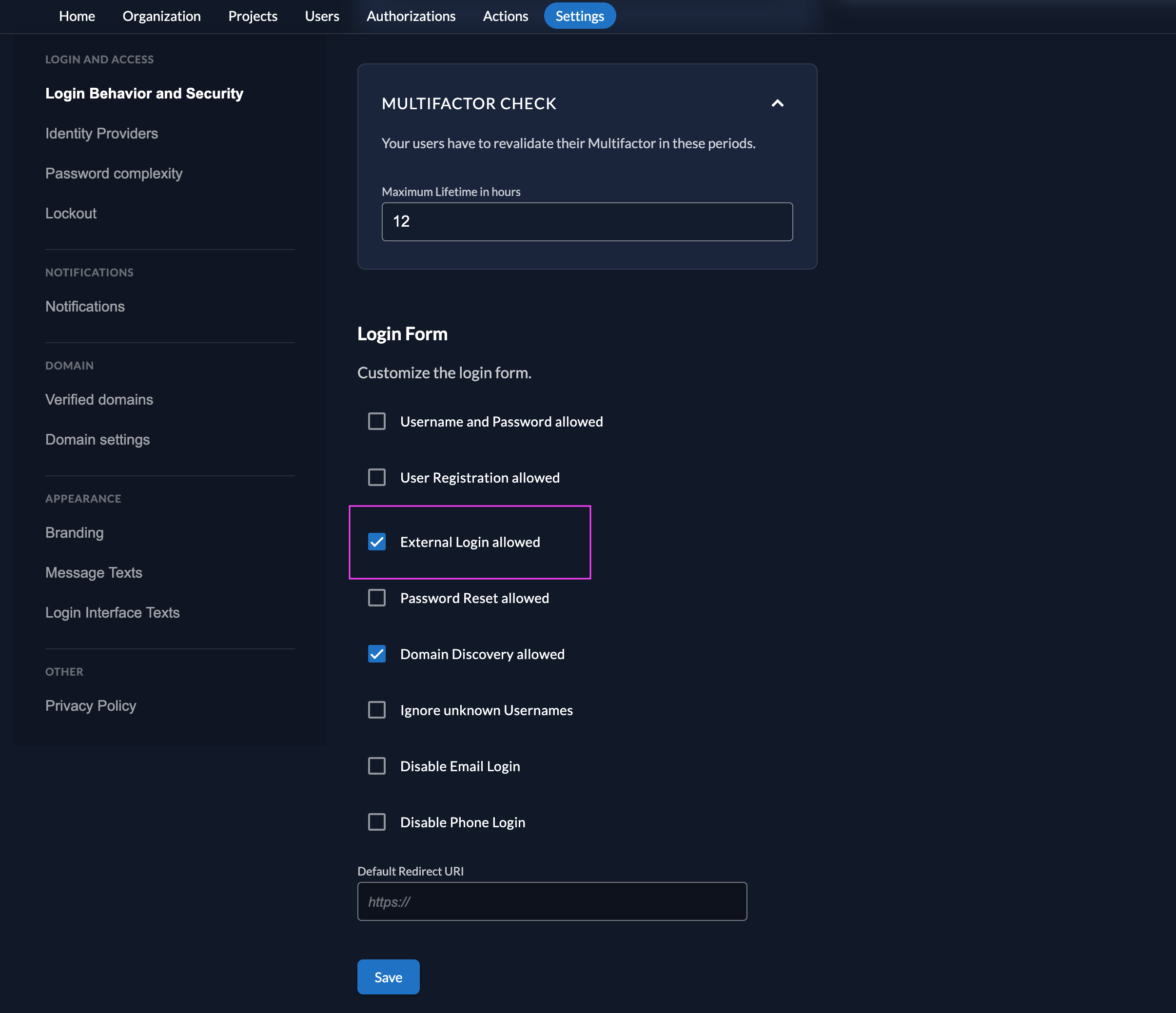
Ensure your Login Policy allows External IDPs
- Go to the Settings
- To allow external IdP logins by default, go to your instance default settings at
${CUSTOM_DOMAIN}/ui/console/instance?id=general - To allow external IdP logins on an organization, go to
${CUSTOM_DOMAIN}/ui/console/org-settings?id=loginand ensure you have the right org context.
- To allow external IdP logins by default, go to your instance default settings at
- Modify your login policy in the menu "Login Behavior and Security"
- Enable the attribute "External Login allowed"
You can also change the settings through the API directly either in the default settings or on a specific organization:
Configure an action to autofill user data
Required for Login V2
The creation of users in ZITADEL will fail if the required fields to create a user are not set.
Actions V2 can be used to map the SAML attributes returned by the IDP to the required fields in ZITADEL. See the Actions V2 Response Manipulation guide for more information on setting up a Target and an Execution. In short,
- Create an Actions V2 Target of type
REST Call - Create an Execution of type
Responseon the method/zitadel.user.v2.UserService/RetrieveIdentityProviderIntent
The following minimal example modifies the response of /zitadel.user.v2.UserService/RetrieveIdentityProviderIntent to set the required fields
for user creation. This example is specific to MockSAML, please adjust the attributes according to your IDP.
package main

import (
	"encoding/json"
	"io"
	"log"
	"net/http"

	"github.com/muhlemmer/gu"
	"github.com/zitadel/zitadel-go/v3/pkg/client/zitadel/user/v2"
	"google.golang.org/protobuf/encoding/protojson"
)

type contextResponse struct {
	Request  *retrieveIdentityProviderIntentRequestWrapper  `json:"request"`
	Response *retrieveIdentityProviderIntentResponseWrapper `json:"response"`
}

// RetrieveIdentityProviderIntentRequestWrapper necessary to marshal and unmarshal the JSON into the proto message correctly
type retrieveIdentityProviderIntentRequestWrapper struct {
	user.RetrieveIdentityProviderIntentRequest
}

func (r *retrieveIdentityProviderIntentRequestWrapper) MarshalJSON() ([]byte, error) {
	data, err := protojson.Marshal(r)
	if err != nil {
		return nil, err
	}
	return data, nil
}

func (r *retrieveIdentityProviderIntentRequestWrapper) UnmarshalJSON(data []byte) error {
	return protojson.Unmarshal(data, r)
}

// RetrieveIdentityProviderIntentResponseWrapper necessary to marshal and unmarshal the JSON into the proto message correctly
type retrieveIdentityProviderIntentResponseWrapper struct {
	user.RetrieveIdentityProviderIntentResponse
}

func (r *retrieveIdentityProviderIntentResponseWrapper) MarshalJSON() ([]byte, error) {
	data, err := protojson.Marshal(r)
	if err != nil {
		return nil, err
	}
	return data, nil
}

func (r *retrieveIdentityProviderIntentResponseWrapper) UnmarshalJSON(data []byte) error {
	return protojson.Unmarshal(data, r)
}

// call HandleFunc to read the response body, manipulate the content and return the response
func call(w http.ResponseWriter, req *http.Request) {
	// read the body content
	sentBody, err := io.ReadAll(req.Body)
	if err != nil {
		// if there was an error while reading the body return an error
		http.Error(w, "error", http.StatusInternalServerError)
		return
	}
	defer req.Body.Close()

	// read the response into the expected structure
	request := new(contextResponse)
	if err := json.Unmarshal(sentBody, request); err != nil {
		http.Error(w, "error", http.StatusInternalServerError)
		return
	}

	// build the response from the received response
	resp := request.Response
	// manipulate the received response to send back as response
	if err = manipulateResponse(resp); err != nil {
		http.Error(w, "error modifying response", http.StatusInternalServerError)
		return
	}

	// marshal the response into json
	data, err := json.Marshal(resp)
	if err != nil {
		// if there was an error while marshalling the json
		http.Error(w, "error marshaling response", http.StatusInternalServerError)
		return
	}

	// return the manipulated response
	w.Write(data)
}

type rawInformation struct {
	Attributes struct {
		Email     []string `json:"email"`
		FirstName []string `json:"firstName"`
		Id        []string `json:"id"`
		LastName  []string `json:"lastName"`
	} `json:"attributes"`
	Id string `json:"id"`
}

func manipulateResponse(resp *retrieveIdentityProviderIntentResponseWrapper) error {
	if resp == nil || resp.IdpInformation == nil || resp.IdpInformation.RawInformation == nil {
		log.Println("missing IDP/User information in the IDP response")
		return nil
	}
	// retrieve raw information from the IDP
	var rawInfoBytes []byte
	var err error
	if rawInfoBytes, err = resp.IdpInformation.RawInformation.MarshalJSON(); err != nil {
		return err
	}

	// NOTE: the raw information struct used here is specific to MockSAML.
	// Please adapt this to your IDP.
	var rawInfo rawInformation
	if err = json.Unmarshal(rawInfoBytes, &rawInfo); err != nil {
		return err
	}

	if len(rawInfo.Attributes.Email) == 0 ||
		len(rawInfo.Attributes.FirstName) == 0 ||
		len(rawInfo.Attributes.Id) == 0 ||
		len(rawInfo.Attributes.LastName) == 0 {
		log.Println("missing required attributes in the IDP response")
		return nil
	}

	// to create a new user.
	if resp.AddHumanUser != nil {
		// set the required fields to create a new user in Zitadel based on the information returned by the IDP
		resp.IdpInformation.UserName = rawInfo.Attributes.Email[0]

		resp.AddHumanUser.Profile = &user.SetHumanProfile{
			GivenName:  rawInfo.Attributes.FirstName[0],
			FamilyName: rawInfo.Attributes.LastName[0],
		}
		resp.AddHumanUser.Email = &user.SetHumanEmail{
			Email:        rawInfo.Attributes.Email[0],
			Verification: &user.SetHumanEmail_IsVerified{IsVerified: true},
		}
		resp.AddHumanUser.Username = gu.Ptr(rawInfo.Attributes.Email[0])
		resp.AddHumanUser.IdpLinks = []*user.IDPLink{
			{
				UserName: rawInfo.Attributes.Email[0],
			},
		}
	}
	return nil
}

func main() {
	// handle the HTTP call under "/call"
	http.HandleFunc("/call", call)

	// start an HTTP server with the before defined function to handle the endpoint under "http://localhost:8090"
	http.ListenAndServe(":8090", nil)
}
Optional for Login V1 (using Actions V1)
You can use a ZITADEL action if you want to prefill the fields firstname, lastname, email, display name and username with mockSaml data.
- Go to the users target organizations settings page.
- Add a new action with the body below. Make sure the action name equals the scripts function name. Also change the id in the script to match your provider configurations id.
- Add the action to the flow "External Authentication" and trigger it on "Post Authentication"
NOTE: The name of the action should be the same as the function name. In this example, the action should be named mapSAMLIDPAttrs
function mapSAMLIDPAttrs(ctx, api) {
    if (ctx.v1.externalUser.externalIdpId != "external-idp-id") {
        return
    }
    // the attribute names below represent the ones used by MockSAML, please adjust accordingly for your IDP.
    let firstname = ctx.v1.providerInfo.attributes["firstName"];
    let lastname = ctx.v1.providerInfo.attributes["lastName"];
    let email = ctx.v1.providerInfo.attributes["email"];
    let username = ctx.v1.providerInfo.attributes["email"];
    if (firstname != undefined) {
        api.setFirstName(firstname[0]);
    }
    if (lastname != undefined) {
        api.setLastName(lastname[0]);
    }
    if (email != undefined) {
        api.setEmail(email[0]);
        api.setEmailVerified(true);
    }
    if (username != undefined) {
        api.setPreferredUsername(username[0]);
    }
}
Test the setup
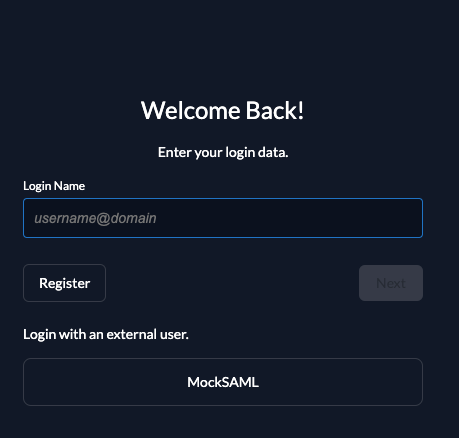
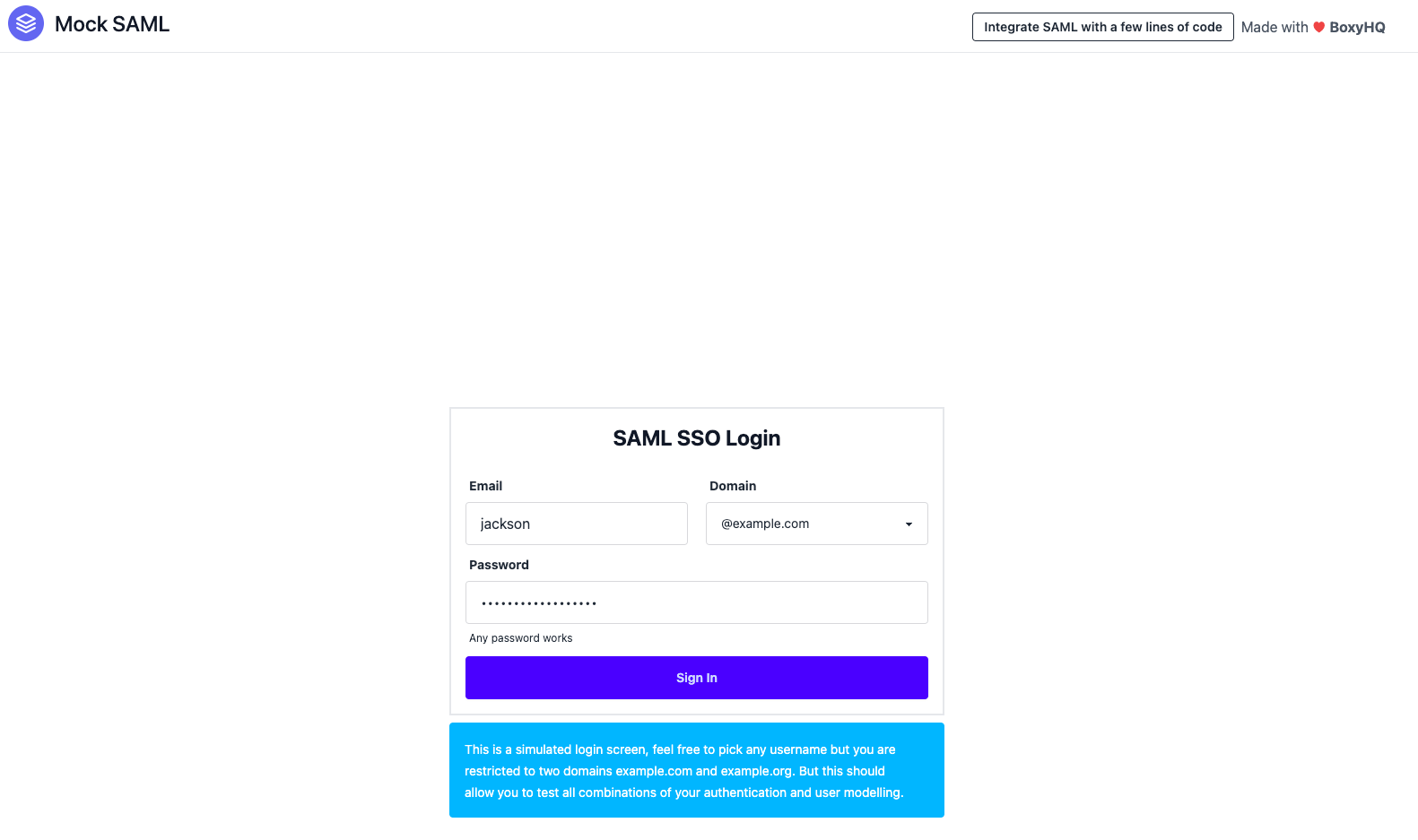
To test the setup, use incognito mode and browse to your login page. You see a new button which redirects you to your SAML login screen.
By default, ZITADEL shows what you define in the default settings. If you overwrite the default settings for an organization, you need to send the organization scope in your auth request.
The organization scope looks like this: urn:zitadel:iam:org:id:{id}.
You can read more about the reserved scopes
or use the ZITADEL OIDC Playground to see what happens with the login when you send different scopes.